HomeBot
A lightweight home robot with modular architecture, supporting remote control, voice interaction, and human following.
- Home
- Open source
- Work in progress
- Works with AI
- 3D model (URDF)
- 3D printable
Suggested by Robotheca, created by @choco-robot (opens in a new tab), from github.com/choco-robot/HomeBot (opens in a new tab). Pinned to commit 7c17ed6 (opens in a new tab).
- Hardware license
- MIT (opens in a new tab)
- Software license
- MIT (opens in a new tab)
- Commercial use
- Allowed
Photo and 3D model
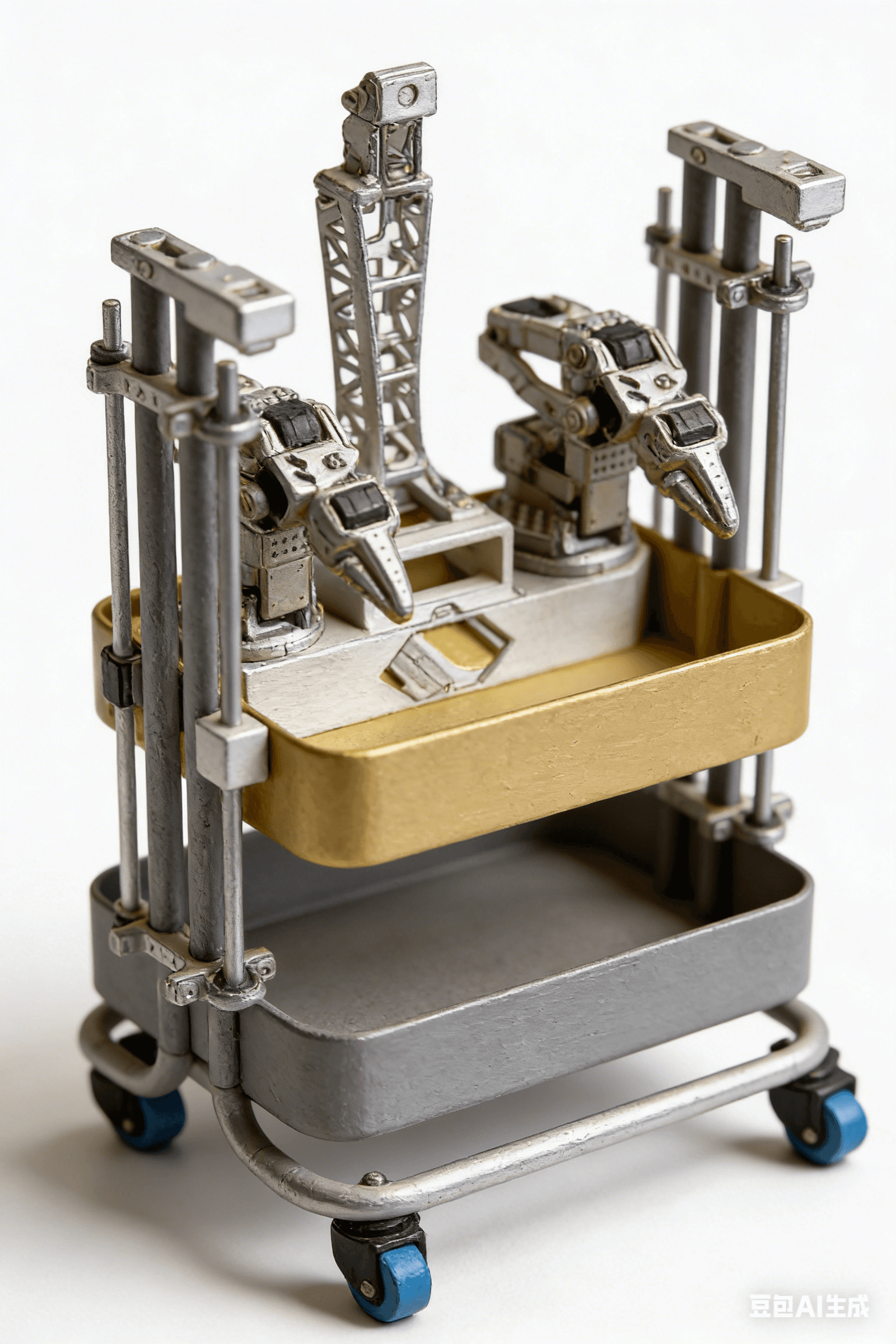
3D preview converted from github.com/choco-robot/HomeBot at 7c17ed6, under MIT. View the original files from GitHub (16.1 MB) (opens in a new tab)
What it can do
Written by Robotheca from the project's documents.
- Moves on a four-wheel chassis with omnidirectional wheels
- Follows a person using a camera and YOLO26 object detection
- Controlled via web interface with real-time video stream
- Controlled via Xbox gamepad for chassis and robotic arm
- Controlled via natural language using Picoclaw AI assistant
- Performs imitation learning tasks
- Supports speech interaction with text-to-speech and large language models
- Supports emergency stop and lock mechanism
Works with AI
Found by Robotheca in the project's files at commit 7c17ed6, its robot.yaml and Robotheca's notes on its documents. Never guessed; Robotheca doesn't run the code.
Uses a large language model
In the project files: software/src/tests/test_llm.pyUses imitation learning
In the project files: software/src/applications/imitation_learningUses a machine-learning library: ONNX
In the project files: software/tools/export_onnx.py“Follows a person using a camera and YOLO26 object detection”
Robotheca's notes: What it can do“Controlled via natural language using Picoclaw AI assistant”
Robotheca's notes: What it can do“Performs imitation learning tasks”
Robotheca's notes: What it can do
Bill of materials
12 parts12 of 12 parts shown
| # | Component | Quantity | Est. price | Supplier |
|---|---|---|---|---|
| 1 | 宜家小车 | 1 | – | – |
| 2 | 锂电池 | 1 | – | – |
| 3 | 锂电池充电器 | 1 | – | – |
| 4 | 舵机控制板 | 1 | – | – |
| 5 | USB摄像头 | 1 | – | – |
| 6 | 底盘3D打印件 | 1 | – | – |
| 7 | 底盘舵机 | 3 | – | – |
| 8 | 法兰轴 | 3 | – | – |
| 9 | 全向轮 + 铜联轴器 | 3 | – | – |
| 10 | 螺丝螺母 | – | – | – |
| 11 | SOARM101打印件 | 1 | – | – |
| 12 | 720P USB摄像头模组 | 1 | – | – |
12 of 12 parts have no price in the source, so there is no parts total. Read from docs/HomeBot_BOM物料清单.md at the pinned commit.
Build guide
The creator's steps, each with its instructions.
- 1Prepare 3D printed parts
- 2Assemble mechanical structure
- 3Install electronics and wiring
- 4Install and configure software
- 5Calibrate the robot
- 6Test basic functions
The guide appears here as you scroll.
Guide by @choco-robot (README.md), under MIT. The English translation is by Robotheca, shared under the same license.
More guides
Wiring and electronics
Notes written by Robotheca from the project's documents.
Main parts
- IKEA small car chassis
- Lithium battery and charger
- Servo control board
- USB camera (720P module)
- 3D printed chassis parts
- Omnidirectional wheels and copper couplings
- SOARM101 3D printed parts for robotic arm
- Xbox gamepad controller
Connections
- Servo control board connected to chassis servos via serial bus
- USB camera connected to computer via USB
- Xbox gamepad connected via USB or Bluetooth
- Lithium battery powers the servo control board and computer via appropriate voltage regulators
- Chassis servos and robotic arm servos share the same serial bus or use separate ports as configured