Skip to content

Photo and 3D model

Its license doesn't let Robotheca show its photos.
See the photos on GitHub (opens in a new tab)

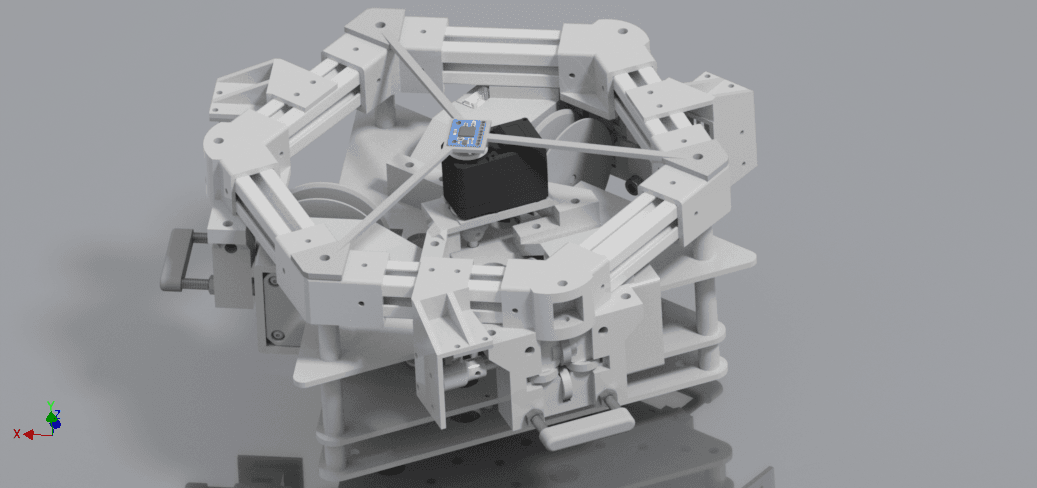
3D model loaded from the original files on GitHub at 4a2cfc2, under CC-BY-NC-4.0. View the original files from GitHub (23.6 MB) (opens in a new tab)

Non-commercial license

GrowBot

Other

An AI creature that lives in a phone and grows up from its own experiences, sensing, moving and remembering the world around it on a small robot body.

Project information

Buildability
63/100Buildable with some effort
Estimated cost
Not stated
Level
Beginner
Parts
6 lines
Tools
3D printer
Commercial use
Not allowed
Works with
micropython

A non-commercial license (CC-BY-NC) does not allow selling kits or parts.

Some folders have their own license: agent-harness/ (CC-BY-NC-4.0).

This repository contains executable files that Robotheca doesn't check. Only run them if you trust the creator.

Which files (1 firmware image)

Suggested by Robotheca, created by @britcruise9 (opens in a new tab), from github.com/britcruise9/GrowBot (opens in a new tab), pinned to commit 4a2cfc2 (opens in a new tab). You buy the parts yourself; Robotheca doesn't sell robots.

What to buy

6 lines, read from BOM.md at 4a2cfc2

6 of 6 parts shown

  • Parts
  • 1Raspberry Pi Pico 2 W––
  • 2MG90S micro servo––
  • 1Waveshare Pico Servo Driver––
  • 4AA batteries––
  • 14×AA battery holder––
  • 1Double-sided foam tape––

6 of 6 needed parts have no price in the source, so there is no parts total.

Why it scores 63

It measures the published files, not the robot · How we score

63/100

Buildable with some effort

How complete the published files are for rebuilding this robot, measured by Robotheca at commit 4a2cfc2. It isn't a rating of the robot. Counted out of 80 points and scaled to 100: the parts that don't apply to this robot are left out.

  1. 13D and CAD files3 printable parts (STL, 3MF).Add the CAD source (STEP, or the CAD program's own files) so people can change the design.10/20
  2. –Robot descriptionNo URDF. Not counted: the score is made of the parts that apply.Optional: add a URDF, and the robot can be seen in 3D and tried in the browser.Not counted
  3. 2Parts list6 lines: 0 with a price, 0 with a shop link.Most points to gain: Add prices to 6 lines. Add shop links to 6 lines.5/20
  4. 3SoftwareCode in this repository, instructions to install or run it, built on micropython.15/15
  5. 4DocumentationREADME of 2,518 characters with 0 pictures; 4 build steps.Show the robot and its assembly in pictures in the README.10/15
  6. –SimulationNo simulation files. Not counted: the score is made of the parts that apply.Optional: add a simulation model (MuJoCo, Gazebo, Webots or Isaac).Not counted
  7. 5LicensesHardware: CC-BY-NC-4.0; software: PolyForm-Noncommercial-1.0.0.10/10

Build it

The creator's 4 steps, each linked to its instructions
  1. Build the robot body using the guide at growbot.dev/build
  2. Install the chip software with the USB installer
  3. Open growbot.dev on the phone that rides the robot
  4. Pair the phone with the robot in the last step of the build guide

The guide appears here as you scroll.

Guide by @britcruise9 (README.md). Its license (CC-BY-NC-4.0 (hardware) and PolyForm-Noncommercial-1.0.0 (software)) doesn't let everyone reuse it. To reuse it, ask the creator on GitHub (opens in a new tab). Creators can ask Robotheca to remove it at contact@robotheca.org.

More guides

Wiring and electronics

Notes written by Robotheca from the project's documents, not by its creator

Main parts: Robotheca's summary

  • Two MG90S micro servos, one per leg, mounted on servo horns.
  • Waveshare Pico Servo Driver board, or a Kitronik or generic PCA9685 servo carrier board.
  • Phone running the GrowBot app, providing camera, IMU and the AI brain.
  • AA batteries in a 4×AA battery holder to power the body.

Connections: Robotheca's summary

  • Servos connect to the servo driver board; port 1 is the left leg and port 3 is the right leg.
  • On a bare Pico without a carrier board, the servo signals are driven directly from GP0 and GP1.
  • The Pico joins Wi-Fi in the 2.4 GHz band and connects to the GrowBot relay.
  • The phone supplies the IMU data to the walk policy; the body receives leg poses from the phone over the relay.

What it can do: Robotheca's summary

Written by Robotheca from the project's documents, not by its creator
  • Walks on two servo-driven legs using a small neural-network walk policy that turns IMU readings into leg swing commands.
  • Can spin in place using a trained spin policy, per the app's stock leg spin.
  • Phone acts as the AI brain and sensor hub, streaming leg poses to the robot body over a relay.
  • Remembers images shown to it and can recall or compare them, with saved views kept in the phone browser.
  • Can be driven by a user's own AI agent through an agent harness, with a safety layer between agent and robot.
  • Can also be ported to other machines, such as a robot lawnmower, using the same brain-to-body contract.
  • Chip-side software holds a link to the relay with heartbeat and re-dial, and can open a setup network for new Wi-Fi.

Works with AI

Found by Robotheca in the project's files at commit 4a2cfc2, its robot.yaml and Robotheca's notes on its documents. Never guessed; Robotheca doesn't run the code.

Software

Framework
micropython
Languages
JavaScript, Python
License
PolyForm-Noncommercial-1.0.0

Robotheca doesn't review code. Read it before running it.

How to run it: Robotheca's summary

Written by Robotheca from the project's documents, not by its creator.

  1. 1Build the body following the growbot.dev build guide, which installs the chip software over USB and saves Wi-Fi settings.
  2. 2Or install by hand: flash micropython-pico2w.uf2 by dragging it onto the RP2350 drive in BOOTSEL mode.
  3. 3Copy secrets.example.py to secrets.py and fill in Wi-Fi details, then copy PicoRobotics.py, act_engine.py, secrets.py and relay_chip.py (as main.py) to the Pico with mpremote.
  4. 4Run mpremote reset, then note the PAIRING CODE the chip prints and pair it with the app.
  5. 5Optionally run hello_legs.py as main.py first to check the servos without Wi-Fi.
  6. 6For the agent harness, run node reference-loop.mjs with Node 18 or later, optionally with an OpenRouter key or a local OpenAI-compatible server.

Software that runs on this robot

No software from Robotheca's catalogue found in this robot's files yet. Links come from its robot.yaml, its dependency files read as text, or Robotheca's editors.

The code

Free files

Every file of the project, at commit 4a2cfc2.

Community

Questions and improvements go to the creator's repository.

Add a badge to your README

For the creator: two badges that link back here. The second always shows this page's current label and score.


Listed on RobothecaRobotheca buildability

Markdown (one click selects it)

[![Listed on Robotheca](https://robotheca.org/robots/growbot/badge.svg)](https://robotheca.org/robots/growbot)
[![Robotheca buildability](https://robotheca.org/robots/growbot/score.svg)](https://robotheca.org/robots/growbot)

Other other robots

All 100 other robots
  • Ready to build

    Open source · free files

    Koriobots

    Other · Intermediate

    Score
    Buildability 98 out of 100
    Cost
    $972.06≈ €866
  • Ready to build

    Open source · free files

    AmazingHand

    Other · Intermediate

    Score
    Buildability 88 out of 100
    Cost
    under €200
  • Ready to build

    Open source · free files

    DigiArm Prosthetic Hand

    Other · Advanced

    Score
    Buildability 85 out of 100
    Cost
    $250≈ €223
  • 3D render

    Open source · free files

    FloatingFace

    Other · Advanced

    Score
    Buildability 100 out of 100
    Cost
    $328.47≈ €293

≈ € values are approximate, converted at the ECB euro reference rate of 5 Nov 2026. The creator's original price always comes first.