Robotic Ball
An open-source robotic ball platform with custom mechanical design, embedded electronics, firmware, and a mobile control application.
- Other
- Open source
- arduino
- 3D printable
Suggested by Robotheca, created by @afzalpoursadra (opens in a new tab), from github.com/afzalpoursadra/RoboticBall (opens in a new tab). Pinned to commit 6544efd (opens in a new tab).
- Hardware license
- MIT (opens in a new tab)
- Software license
- MIT (opens in a new tab)
- Commercial use
- Allowed
Photo and 3D model
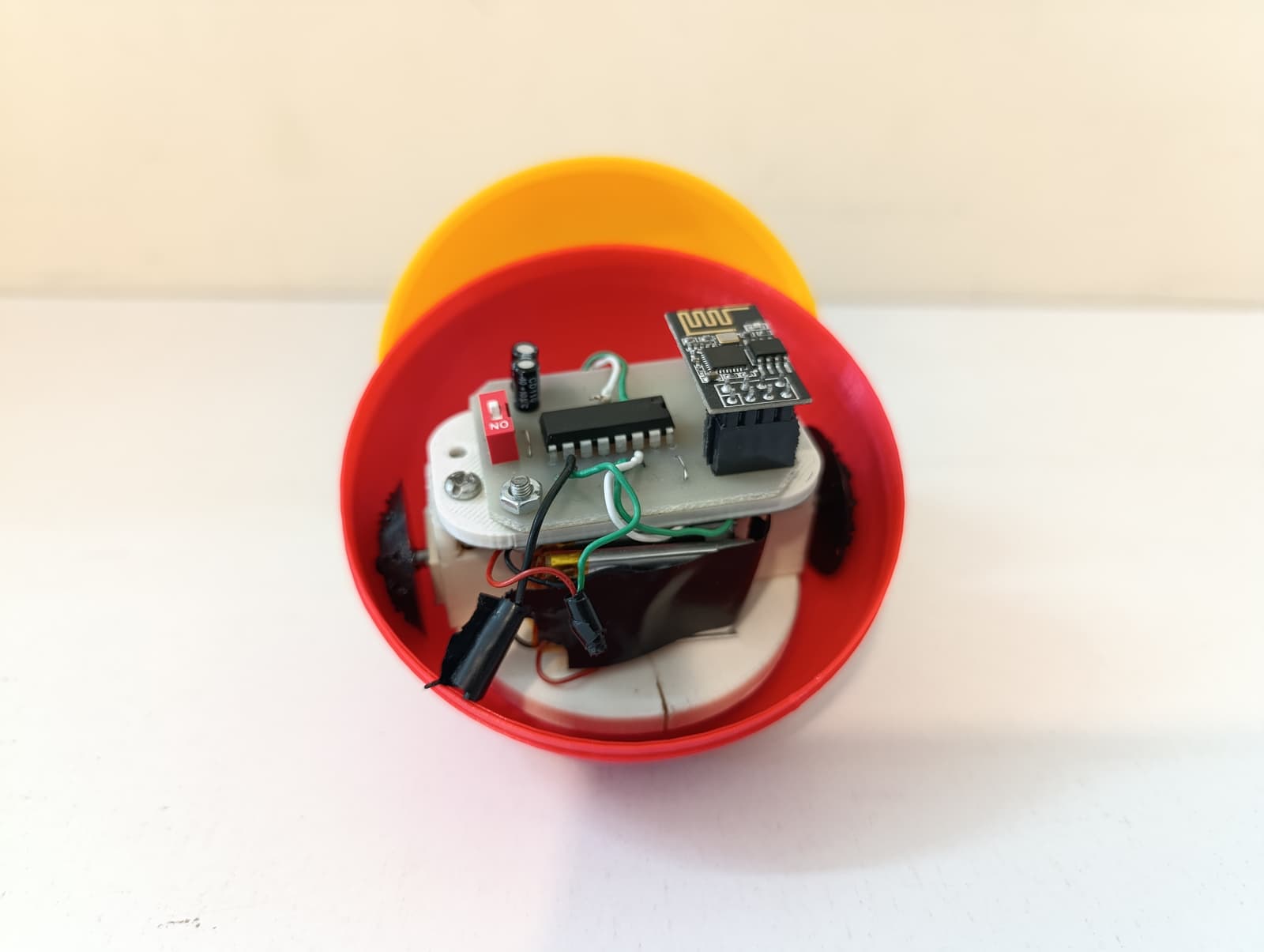
3D preview converted from github.com/afzalpoursadra/RoboticBall at 6544efd, under MIT. View the original files from GitHub (729 KB) (opens in a new tab)
What it can do
Written by Robotheca from the project's documents.
- Drives as a robotic ball, controlled from a mobile or desktop app built with Tauri (Gyrobit).
- Accepts joystick control payloads with throttle, steer and speed limit values over UDP.
- Uses PWM speed control with soft turns and a failsafe, and acknowledges each command.
- Emergency stop from the app sends a stop command; controls stay locked until the robot acknowledges.
Bill of materials
This repository has no parts list Robotheca can read yet.
Build guide
The creator's steps, each with its instructions.
- 1Print the 3D printable parts from mechanical/stl/
- 2Glue the cap and motor holder together with adhesive
- 3Attach the 2S BMS externally to the main body for charging the batteries
- 4Assemble the final robot and flash firmware/main.ino
The guide appears here as you scroll.
Guide by @afzalpoursadra (README.md), under MIT.
More guides
Wiring and electronics
Notes written by Robotheca from the project's documents.
Main parts
- ESP8266 microcontroller board providing a SoftAP Wi-Fi network for the robot.
- Motors driven by PWM (left and right channels), part of the robot's drive.
- 2S BMS (battery management system) attached to the main body for charging the batteries.
- Custom PCB designed in Altium (hardware/Robot_ball_Pcb.PcbDoc and schematic).
Connections
- The robot creates its own Wi-Fi access point (SSID botball) that the controller joins; Wi-Fi is user-managed.
- The 2S BMS is connected externally to the battery pack when charging.