RoboTheater
A tabletop multi-robot platform that turns LLM-generated scripts into robot motion and multimedia storytelling performances.
- Other
- Open source
- Works with AI
- 3D printable
Suggested by Robotheca, created by @offmor (opens in a new tab), from github.com/offmor/RoboTheater (opens in a new tab). Pinned to commit bdae490 (opens in a new tab).
- Hardware license
- MIT (opens in a new tab)
- Software license
- MIT (opens in a new tab)
- Commercial use
- Allowed
Photo and 3D model
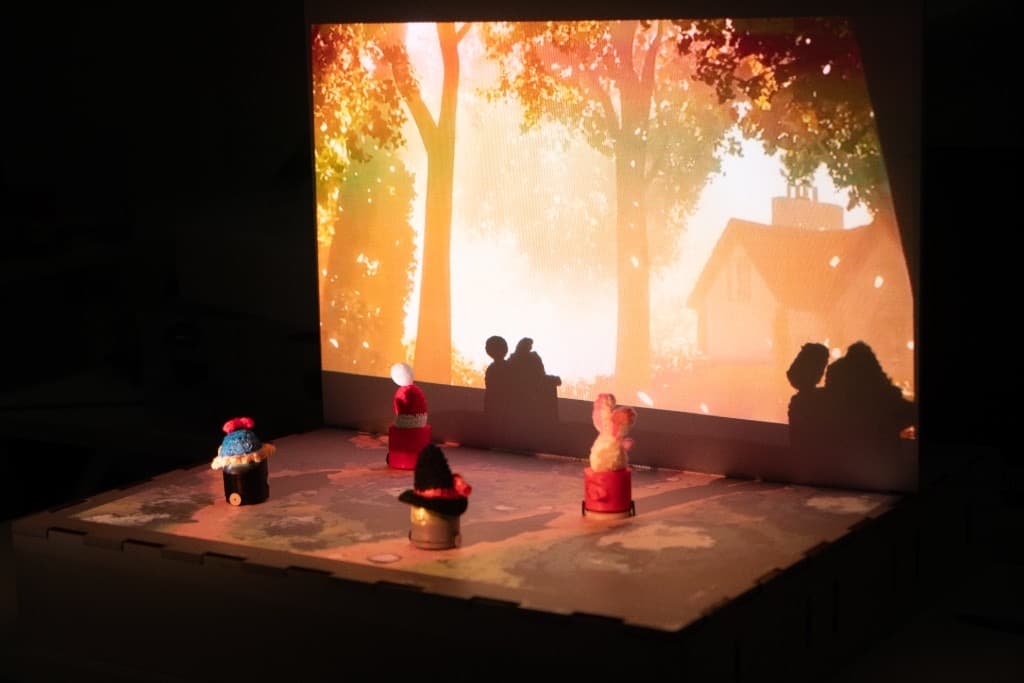
3D preview converted from github.com/offmor/RoboTheater at bdae490, under MIT. View the original files from GitHub (287 KB) (opens in a new tab)
What it can do
Written by Robotheca from the project's documents.
- Tabletop robots that speak lines of a story and move as characters in a multi-robot performance.
- Robots accept linear move, circle, and fidget motion commands sent over MQTT topics.
- Story scripts from an LLM are generated and then played back by a performance runner.
- Speech is synthesized with ElevenLabs and played locally through VLC while robots move.
- A dry-run mode validates a story script and prints motion payloads without needing robots.
Works with AI
Found by Robotheca in the project's files at commit bdae490, its robot.yaml and Robotheca's notes on its documents. Never guessed; Robotheca doesn't run the code.
“Story scripts from an LLM are generated and then played back by a performance runner.”
Robotheca's notes: What it can do
Bill of materials
This repository has no parts list Robotheca can read yet.
Build guide
The creator's steps, each with its instructions.
- 1Print and assemble the chassis from the mechanical models
- 2Fabricate and populate the mainboard from the KiCad files
- 3Flash the robot controller firmware with PlatformIO
- 4Set up the MQTT broker and configure the software environment
- 5Generate a story with the authoring tool
- 6Run speech and motion with the performance runner
The guide appears here as you scroll.
Guide by @offmor (README.md), under MIT.
More guides
Wiring and electronics
Notes written by Robotheca from the project's documents.
Main parts
- Seeed Studio XIAO ESP32-S3 microcontroller on the robot.
- TB6612FNG motor driver on the mainboard.
- Mainboard with KiCad schematic and PCB files plus fabrication Gerbers.
- Drive wheels and chassis are 3D printed parts (mechanical models provided).
Connections
- Mainboard design and connections are defined in the KiCad project under electronics/kicad.
- The mainboard connections are documented in the KiCad schematic files, not described in the text itself.