Hexapod
A six-legged walking robot controlled over Bluetooth serial commands from an Arduino and an optional Unity app.
- Other
- Open source
- arduino
- 3D printable
Suggested by Robotheca, created by @JakobLeander (opens in a new tab), from github.com/JakobLeander/hexapod (opens in a new tab). Pinned to commit b728292 (opens in a new tab).
- Hardware license
- MIT (opens in a new tab)
- Software license
- MIT (opens in a new tab)
- Commercial use
- Allowed
This repository contains executable files that Robotheca doesn't check. Only run them if you trust the creator.
Which files (1 program or installer)
Photo and 3D model
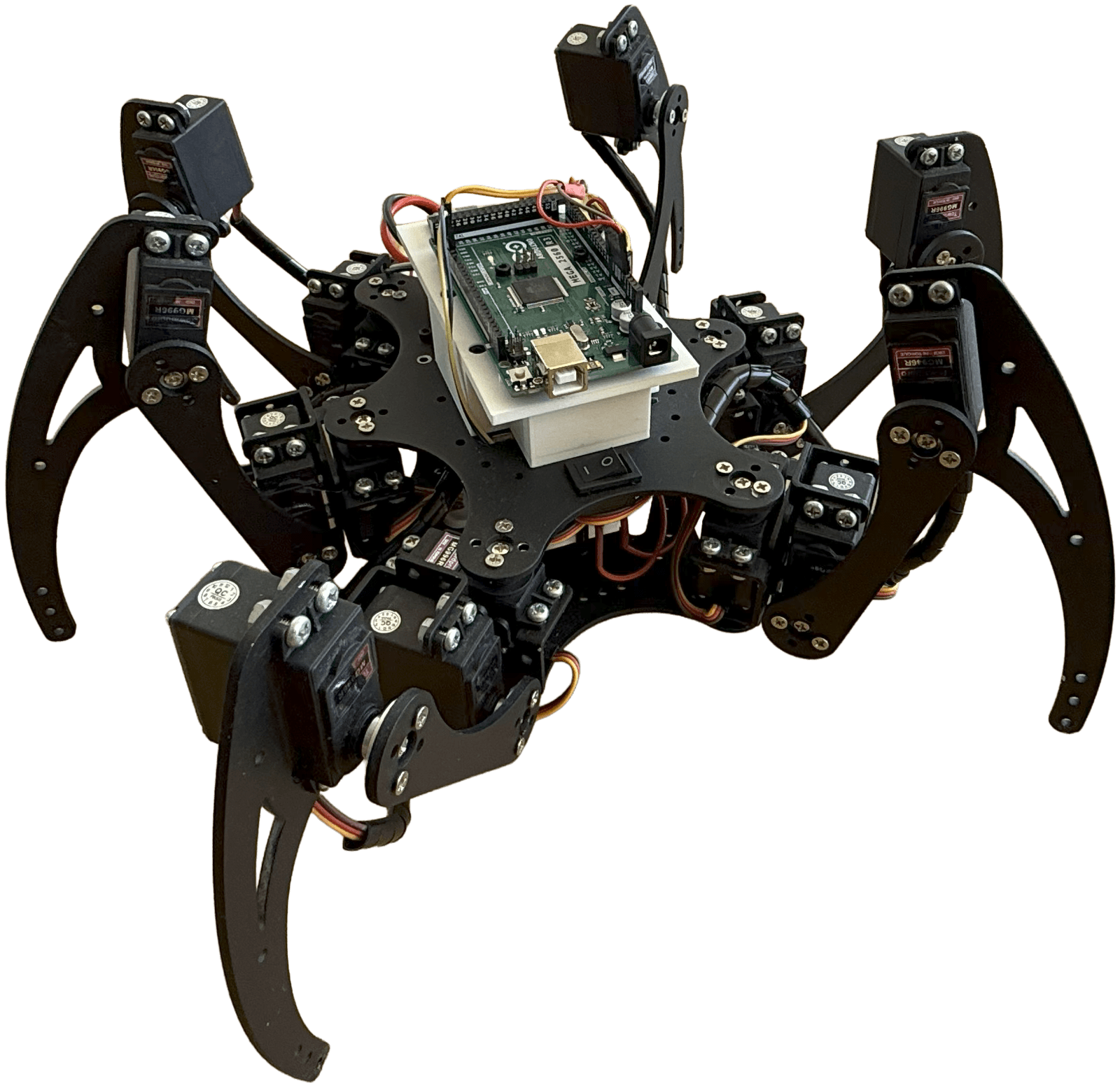
3D preview converted from github.com/JakobLeander/hexapod at b728292, under MIT. View the original files from GitHub (343 KB) (opens in a new tab)
What it can do
Written by Robotheca from the project's documents.
- Walks forward and backward
- Rotates left and right
- Can be sent to a home position or a sleep position
- Controlled by serial commands sent over Bluetooth from a non-iOS device
- Commands are a letter plus a digit, wrapped in square brackets; the digit is not yet used for speed or step size
- A Unity app in the hexapod-app folder can send the commands; it does not work on iOS
Bill of materials
This repository has no parts list Robotheca can read yet.
Build guide
The creator's steps, each with its instructions.
- 1Connect all the components as shown in the wiring diagram
- 2Run the hardware tests in the HardWare folder to verify each component
- 3Upload the full hexapod application to the robot
- 4Control the robot via Bluetooth serial commands
The guide appears here as you scroll.
Guide by @JakobLeander (README.md), under MIT.
Wiring and electronics
Notes written by Robotheca from the project's documents.
Main parts
- Arduino-based controller
Connections
- Components are connected as shown in the wiring diagram in the repository media folder

