electronBot
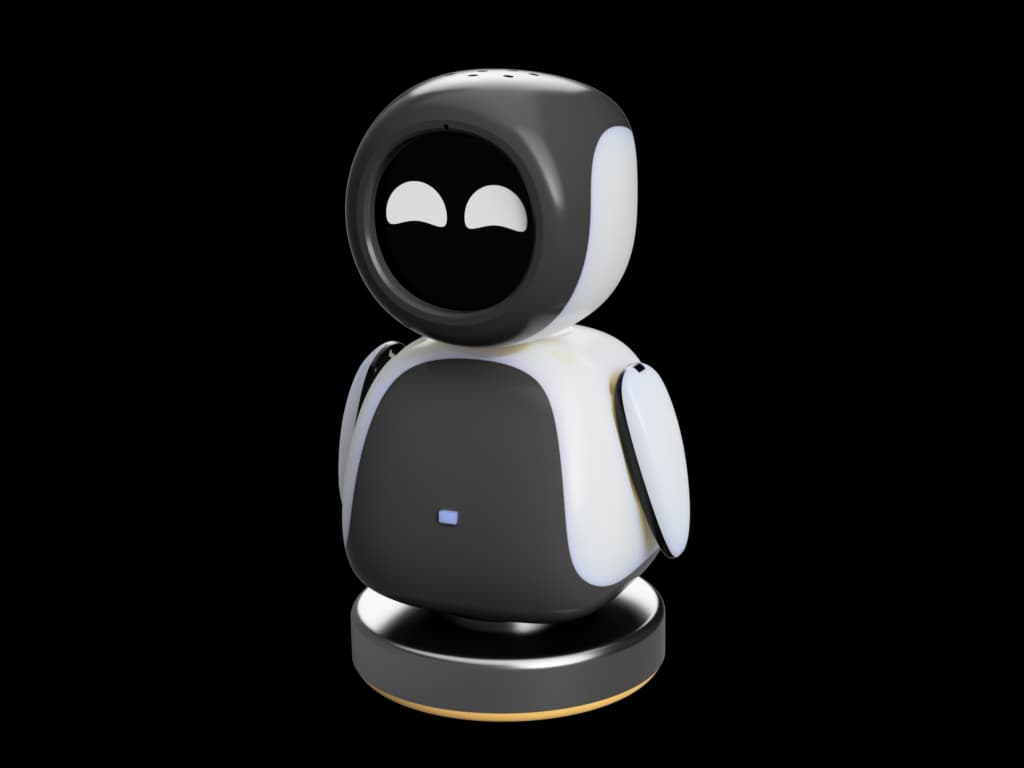
A desktop-sized open-source robot with 6 degrees of freedom, enhanced with AI capabilities via ESP32, designed for education and maker projects.
- Humanoid
- Open source
- arduino
- 3D printable
Suggested by Robotheca, created by @txp666 (opens in a new tab), from github.com/txp666/electronBot-docs (opens in a new tab). Pinned to commit f2f7561 (opens in a new tab).
- Hardware license
- Apache-2.0 (opens in a new tab)
- Software license
- Apache-2.0 (opens in a new tab)
- Commercial use
- Allowed
This repository contains executable files that Robotheca doesn't check. Only run them if you trust the creator.
Which files (5 firmware images)
Photo
- Degrees of freedom
- 6
What it can do
Written by Robotheca from the project's documents.
- Moves with six degrees of freedom: arm roll and pitch, neck, and waist
- Connects via Wi-Fi or 4G (ML307 Cat.1)
- Wakes on BOOT button press or long press
- Runs offline voice wake-up using ESP-SR
- Streams real-time voice conversation over WebSocket or UDP
- Recognizes Mandarin, Cantonese, English, Japanese, and Korean
- Performs speaker recognition with 3D Speaker technology
- Synthesizes high-quality speech using TTS models like CosyVoice
Bill of materials
This repository has no parts list Robotheca can read yet.
Build guide
The creator's steps, each with its instructions.
- 1Prepare Components and Tools
- 23D Print the Robot Structure
- 3Assemble the Mechanical Parts
- 4Install Electronics and Wiring
- 5Flash the ESP32 Firmware
- 6Configure AI and Network Settings
- 7Test and Calibrate the Robot
The guide appears here as you scroll.
Guide by @txp666 (README.md), under Apache-2.0. The English translation is by Robotheca, shared under the same license.
More guides
Wiring and electronics
Notes written by Robotheca from the project's documents.
Main parts
- ESP32 main controller board
- Six custom servos with joint angle feedback
- ML307 Cat.1 4G module
- ESP-SR offline speech wake-up module
- SenseVoice multi-language speech recognition
- 3D Speaker voiceprint recognition module
- CosyVoice or Volcano Engine TTS module
- Qwen, DeepSeek, or Doubao large language model integration
- OLED or LCD display for visual output
- BOOT button for wake and interrupt control
Connections
- Servos connected to ESP32 PWM pins for six degrees of freedom
- ML307 Cat.1 4G module linked via UART to ESP32
- ESP-SR and SenseVoice modules communicate over I2C or UART
- 3D Speaker module connected via I2C or dedicated audio bus
- TTS module interfaced via UART or I2S audio bus
- Display connected via I2C or SPI bus
- BOOT button wired to ESP32 GPIO for wake and interrupt