LeKiwi
A low-cost mobile manipulator, a 3D-printed omnidirectional base carrying an SO-101 arm, a Raspberry Pi 5 and cameras, for LeRobot teleoperation.
- Wheeled
- Open source
- Works with AI
- LeRobot
- 3D model (URDF)
- 3D printable
- Tested on real hardware
Added from github.com/SIGRobotics-UIUC/LeKiwi (opens in a new tab), created by @SIGRobotics-UIUC (opens in a new tab). Pinned to commit efa608d (opens in a new tab).
- Hardware license
- Apache-2.0 (opens in a new tab)
- Software license
- Apache-2.0 (opens in a new tab)
- Commercial use
- Allowed
Photo and 3D model
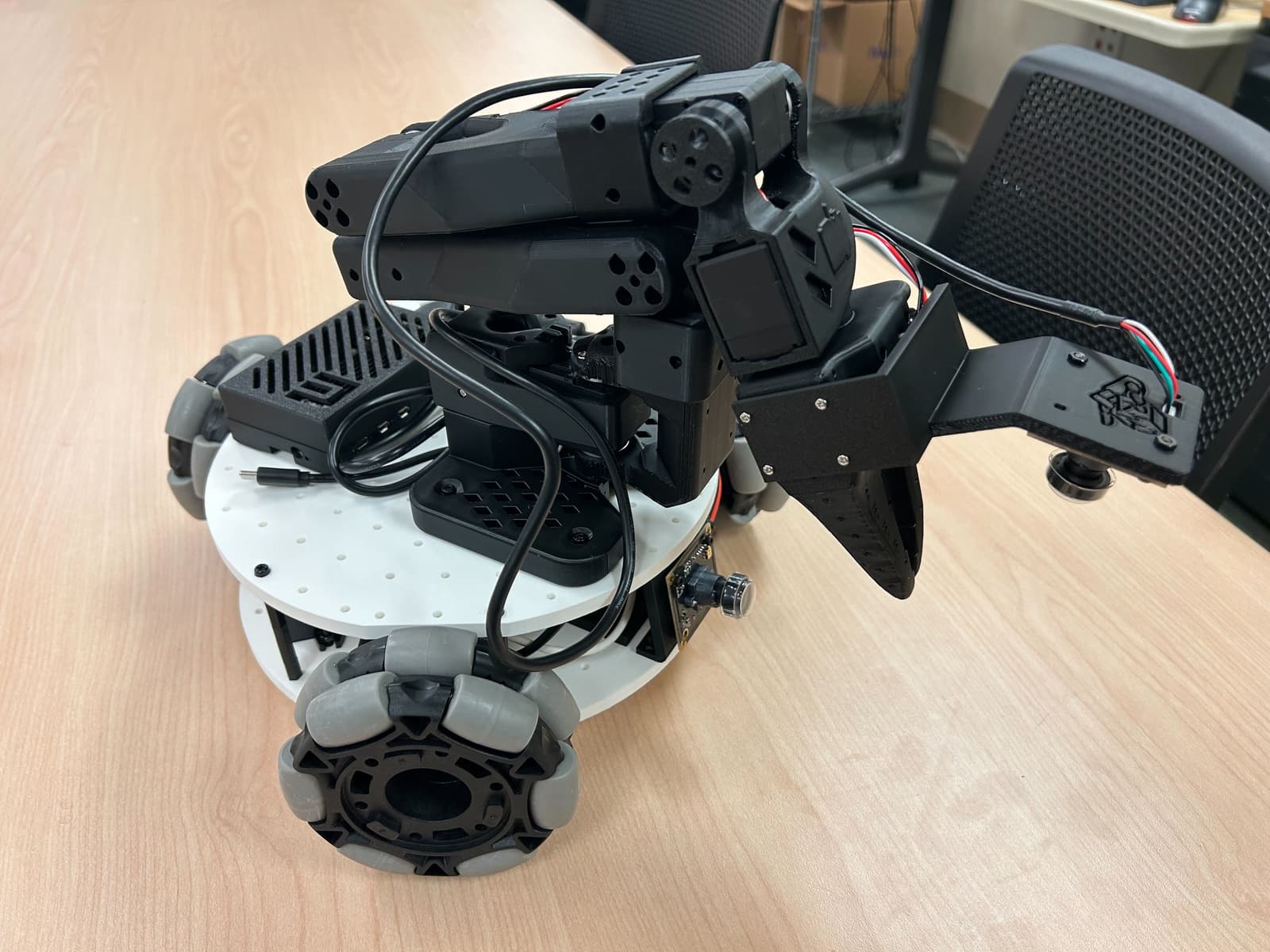
3D preview converted from github.com/SIGRobotics-UIUC/LeKiwi at efa608d, under Apache-2.0. View the original files from GitHub (61.2 MB) (opens in a new tab)
What it can do
Written by Robotheca from the project's documents.
- Holonomic 3-wheel drive with omni wheels for omnidirectional movement
- Teleoperation via laptop WASD keys or leader arm
- Dual RGB camera streaming for workspace and wrist views
- Data collection pipeline for robot learning
- SO-ARM101 or Koch v1.1 robotic arm with gripper for manipulation
Works with AI
Found by Robotheca in the project's files at commit efa608d, its robot.yaml and Robotheca's notes on its documents. Never guessed; Robotheca doesn't run the code.
Runs LeRobot
Stated in robot.yaml“Data collection pipeline for robot learning”
Robotheca's notes: What it can do“Install LeRobot software on Raspberry Pi 5 following LeRobot documentation”
Robotheca's notes: How to run it“Flash firmware to motor control board if required by LeRobot setup”
Robotheca's notes: How to run it
Bill of materials
16 parts16 of 16 parts shown
Parts total: €537.65. Read from BOM.md at the pinned commit.
Build guide
The creator's steps, each with its instructions.
- 1Get the partsBOM.md
- 2Print the parts3DPrinting.md
- 3Assemble the robotAssembly.md · About 2 hours
- 4Set up the software and calibrate with LeRobot (opens in a new tab)huggingface.co
The guide appears here as you scroll.
Guide by @SIGRobotics-UIUC (README.md), under Apache-2.0.
More guides
Wiring and electronics
Notes written by Robotheca from the project's documents.
Main parts
- Raspberry Pi 5 (4GB) as main controller
- 12V 5A Li-ion battery or 65W laptop power bank for power
- 12V ST3215 Feetech servo motors for drive wheels (3x)
- Motor control board for servo drivers
- 12V to 5V 5A USB-C converter for Raspberry Pi power
- USB camera for workspace view
- USB camera for wrist view
- Lever wire connectors for power distribution
- USB-C to USB-A cables for data and power
Connections
- 12V battery connects to motor control board and 12V to 5V converter via lever connectors
- Motor control board powers and controls the three 12V servos for drive wheels
- 12V to 5V converter powers the Raspberry Pi 5 via USB-C
- Raspberry Pi 5 connects to motor control board and both cameras via USB
- Servo controller USB-C to USB-A cable connects to Raspberry Pi for control
Cables and connectors
From the parts list.
- USB-C to USB-A Cable 2 pcs × 1
- Lever Wire Connector × 1
- 12v 5a DC plug connector × 1