Giraffe
A cost-effective, ROS2-compatible 5-DoF robotic manipulator with a leader-follower teleoperation setup, designed to lower the barrier to entry for Embodied AI.
- Robot arm
- Open source
- ROS 2
- 3D model (URDF)
- 3D printable
Suggested by Robotheca, created by @carpit680 (opens in a new tab), from github.com/carpit680/giraffe (opens in a new tab). Pinned to commit 5a037ec (opens in a new tab).
- Hardware license
- Apache-2.0 (opens in a new tab)
- Software license
- Apache-2.0 (opens in a new tab)
- Commercial use
- Allowed
Photo and 3D model
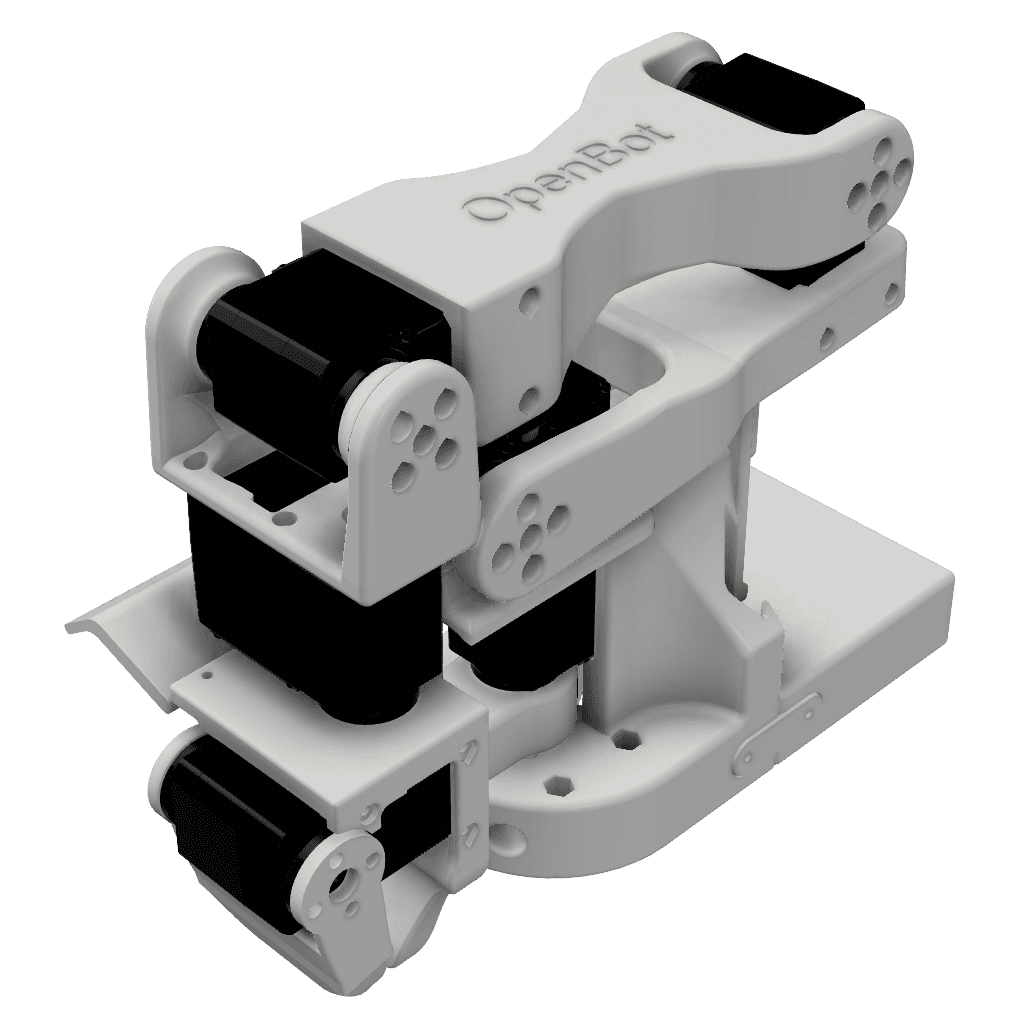
3D preview converted from github.com/carpit680/giraffe at 5a037ec, under Apache-2.0. View the original files from GitHub (7.6 MB) (opens in a new tab)
- Degrees of freedom
- 5
What it can do
Written by Robotheca from the project's documents.
- Robotic manipulator arm with five degrees of freedom plus a gripper, designed as a low-cost Koch v1.1 inspired arm compatible with ROS2.
- Leader-follower teleoperation: a leader arm with AS5600 encoders drives a follower arm, and the leader may teleoperate wirelessly.
- Simulation and visualization in ROS2 Humble with Gazebo Ignition Fortress, RViz and MoveIt 2 motion planning.
- Real hardware control through a ros2_control hardware interface that exchanges joint commands and feedback over ROS topics.
- Alternative teleoperation via Teleop Tongs, a 3D-printed tongs assembly with fiducial markers used as a stand-in end effector.
Bill of materials
This repository has no parts list Robotheca can read yet.
Build guide
The creator's steps, each with its instructions.
- 1Select a 3D printer that meets the recommended specifications
- 2Prepare the printer bed with glue stick and calibrate
- 3Print the common and follower or leader arm parts from the STL files
- 4Remove parts from the print bed and strip support material
- 5Assemble the leader and follower arms following the OpenBot docs guide
- 6Clone the repository and install Python dependencies
- 7Set user permissions for serial port access
- 8Set servo IDs using the configurator script
- 9Install ROS2 Humble, Gazebo Fortress, and MoveIt 2
- 10Build and source the giraffe_ws ROS2 workspace
The guide appears here as you scroll.
Guide by @carpit680 (README.md), under Apache-2.0.
Wiring and electronics
Notes written by Robotheca from the project's documents.
Main parts
- Waveshare 30KG serial bus servos, six per follower arm, with encoders.
- Serial bus servo driver board supplying servo power and control.
- 12V 5A power supply with a 5.5mm DC plug for the follower arm.
- Wemos D1 Mini v2 (ESP8266/ESP32-based microcontroller) in the leader arm.
- AS5600 12-bit magnetic angle encoders, six per leader arm.
- TCA9548A I2C multiplexer in the leader arm.
- Custom two-layer PCB replacing the leader arm servo driver, with schematic and Gerber files in CAD/PCB.
Connections
- Follower servos are daisy-chained on a serial bus driven by the servo driver board.
- Servo driver board is powered by the 12V supply and connected to the computer by Type C USB cable.
- Leader arm AS5600 encoders connect to the Wemos D1 Mini through the TCA9548A I2C multiplexer.
- Leader arm Wemos D1 Mini is connected to the computer by Micro USB B cable.
- Schematic for the leader arm PCB is provided as an image in CAD/PCB.
