2DOF Drawing Robotic Arm
A low-cost 2-degree-of-freedom drawing arm that moves precisely within a roughly 156 mm by 156 mm workspace.
- Robot arm
- Open source
- arduino
- 3D printable
Suggested by Robotheca, created by @AWalkerPerez (opens in a new tab), from github.com/AWalkerPerez/drawing-robot-arm (opens in a new tab). Pinned to commit 1c82d49 (opens in a new tab).
- Hardware license
- MIT (opens in a new tab)
- Software license
- MIT (opens in a new tab)
- Commercial use
- Allowed
Photo and 3D model
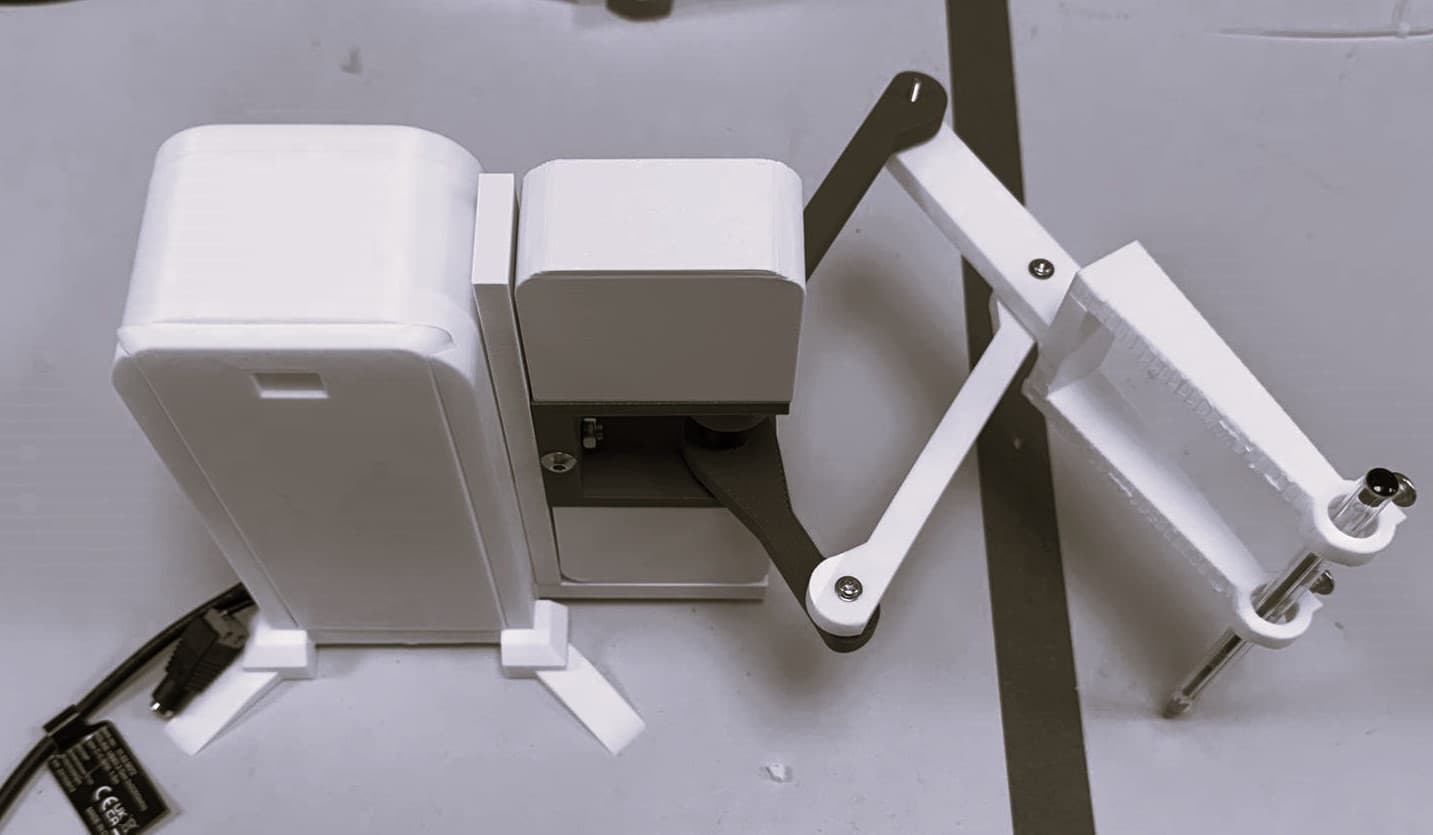
3D preview converted from github.com/AWalkerPerez/drawing-robot-arm at 1c82d49, under MIT. View the original files from GitHub (1.8 MB) (opens in a new tab)
- Degrees of freedom
- 2
- Reach
- 156 mm
What it can do
Written by Robotheca from the project's documents.
- Draws with a 2-degree-of-freedom arm in a workspace of about 156mm x 156mm.
- Accepts (X,Y) target points from a MATLAB GUI and moves the arm to them.
- Uses analytical inverse kinematics with PID control per motor.
- Streams measured joint angles back to MATLAB and plots desired versus actual position.
- Offline MATLAB scripts compute forward/inverse kinematics, Jacobians and manipulability without hardware.
Bill of materials
This repository has no parts list Robotheca can read yet.
Build guide
The creator's steps, each with its instructions.
- 1Print parts from cad/
- 2Assemble and wire using electronics/
- 3Upload Arduino code from firmware/arduino/
- 4Run the MATLAB GUI in matlab/gui/ to send (X,Y) targets
The guide appears here as you scroll.
Guide by @AWalkerPerez (README.md), under MIT.
More guides
Wiring and electronics
Notes written by Robotheca from the project's documents.
Main parts
- Arduino Uno R4 controller board.
- L298N dual H-bridge motor driver.
- Two DC geared motors with quadrature encoder outputs (A/B) per the firmware README.
- Potentiometers are mentioned in the electronics README as position feedback, which conflicts with the firmware README's encoders.
- 12V DC supply rated 12V, 5A.
Connections
- 12V supply +12V and GND connect to the L298N; Arduino GND connects to L298N GND for a common ground.
- Motors are powered through the L298N 12V rail, not from the Arduino 5V pin.
- Motor 1 uses L298N OUT1/OUT2 and Motor 2 uses OUT3/OUT4.
- Encoder A/B channels: M1 on A3 and A2, M2 on A1 and D11; encoder A pins use interrupts.
- L298N direction pins: M1 on D4 and D5, M2 on D7 and D8.
- L298N enable PWM pins: M1 ENA on D6, M2 ENB on D9.
- Serial link to MATLAB at 9600 baud over USB.


