Software
Universal Robots Client Library
By Universal Robots A/S, Denmark (checked on github.com/UniversalRobots (opens in a new tab)), from github.com/UniversalRobots/Universal_Robots_Client_Library (opens in a new tab)
- Robot arms and industry
- Driver or SDK
- Apache-2.0
A C++ library for accessing Universal Robots interfaces, used to build external drivers for UR robotic manipulators. It also underpins the ROS and ROS 2 drivers.
Facts
- GitHub stars
- 204read on 6 Nov 2026
- Last update
- 6 Nov 2026Newest commit on master
- Maintenance
- Activea commit in the last 90 days
- Difficulty
- Intermediate
Checked on GitHub on 6 Nov 2026.
Licenses
- Code
- Apache-2.0 (opens in a new tab)
Read by Robotheca from LICENSE_apache_2_0 (opens in a new tab) (Apache-2.0) at commit 7766977 (opens in a new tab), on 6 Nov 2026.
- Commercial use
- Yes
Overview
What it does: Robotheca's summary
- Implements the RTDE interface for reading real-time data from the robot controller, with an RTDE client.
- Provides helper functions for talking to the Dashboard server directly from C++.
- Offers custom socket-based data streaming, for example to send motion commands.
- Includes a basic primary interface; it is not fully implemented and parses only some packages.
- Uses a producer/consumer architecture with a pipeline queue for incoming robot packages.
- Has a configurable logging system with a pluggable log handler, and an example driver that prints RTDE values.
Written by Robotheca from the project's README (opens in a new tab) at commit 5221844, not by its creator.
The README
The creator's own README, copied as written: README.md by Universal Robots A/S, at commit 7766977, under Apache-2.0 (opens in a new tab). The original on GitHub (opens in a new tab).
Read the README here
Universal Robots Client Library
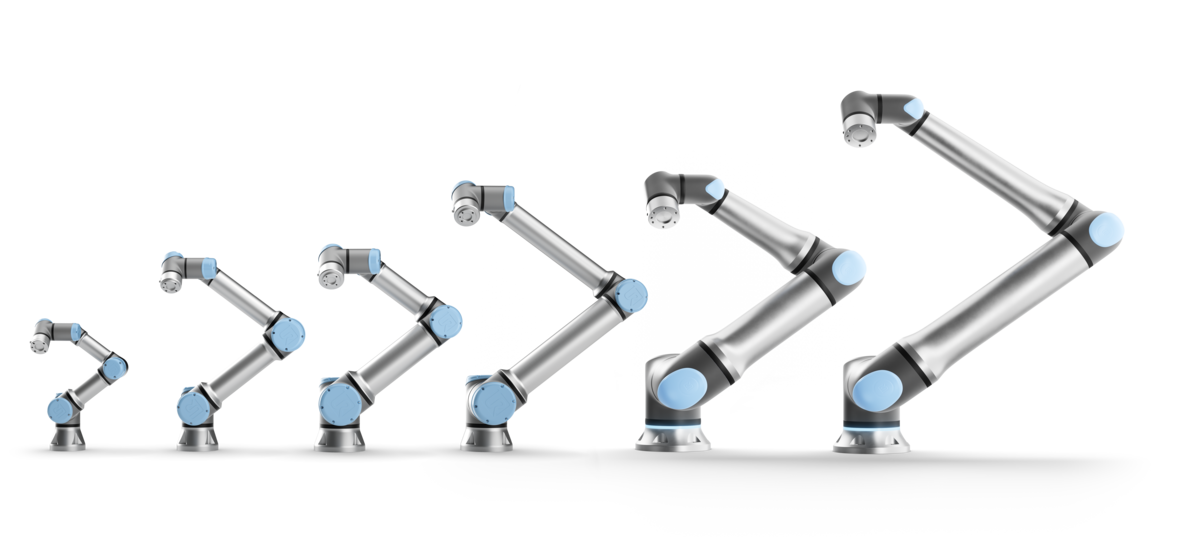
A C++ library for accessing Universal Robots interfaces. With this library C++-based drivers can be implemented in order to create external applications leveraging the versatility of Universal Robots robotic manipulators.
The library has no external dependencies besides the standard C++ libraries such as ROS, or boost to make it easy to integrate and maintain. It also serves as the foundation for the ROS and ROS 2 drivers.
Requirements
- Polyscope (The software running on the robot controller) version 3.14.3 (for CB3-Series), or 5.9.4 (for e-Series) or 10.7.0 (For PolyScope X) or higher. If you use an older Polyscope version it is suggested to update your robot. If for some reason (please tell us in the issues why) you cannot upgrade your robot, please see the version compatibility table (opens in a new tab) for a compatible tag.
- The library requires an implementation of POSIX threads such as the
pthreadlibrary
Build instructions
See Build / installation (opens in a new tab)
License
The majority of this library is licensed under the Apache-2.0 licensed. However, certain parts are licensed under different licenses:
- The queue used inside the communication structures is originally written by Cameron Desrochers and is released under the BSD-2-Clause license.
- The semaphore implementation used inside the queue implementation is written by Jeff Preshing and licensed under the zlib license
While the main LICENSE file in this repository contains the Apache-2.0 license used for the
majority of the work, the respective libraries of third-party components reside together with the
code imported from those third parties.
Library contents
Currently, this library contains the following components:
- Basic primary interface: The primary interface isn't fully implemented at the current state and provides only basic functionality. See A word on the primary / secondary interface for further information about the primary interface.
- RTDE interface: The RTDE interface (opens in a new tab) is fully supported by this library. See RTDEClient (opens in a new tab) for further information on how to use this library as an RTDE client.
- Dashboard interface: The Dashboard server (opens in a new tab) can be accessed directly from C++ through helper functions using this library.
- Custom motion streaming: This library was initially developed as part of the Universal Robots ROS driver (opens in a new tab). Therefore, it also contains a mechanism to do data streaming through a custom socket, e.g. to perform motion command streaming.
Example driver
In the examples subfolder you will find a minimal example of a running driver. It starts an
instance of the UrDriver class and prints the RTDE values read from the controller. To run it make
sure to
- have an instance of a robot controller / URSim running at the configured IP address (or adapt the address to your needs)
- run it from the package's main folder (the one where this README.md file is stored), as for simplicity reasons it doesn't use any sophisticated method to locate the required files.
Architecture
See Architecture documentation (opens in a new tab)
A word on the primary / secondary interface
Currently, this library doesn't support the primary interface very well, as the Universal Robots
ROS driver (opens in a new tab) was built mainly upon
the RTDE interface. The PrimaryClient for directly accessing the primary
interface doesn't support all features of the primary interface.
The comm::URStream class can be used to open a connection to the primary / secondary interface
and send data to it. The producer/consumer pipeline structure
can also be used together with the primary / secondary interface. However, package parsing isn't
implemented for most packages currently. See the primary_pipeline
example (opens in a new tab) on details how to set this up. Note that when running this
example, most packages will just be printed as their raw byte streams in a hex notation, as they
aren't implemented in the library, yet.
A word on Real-Time scheduling
As mentioned above, for a clean operation it is quite critical that arriving RTDE messages are read
before the next message arrives. Due to this, both, the RTDE receive thread and the thread calling
getDataPackage() should be scheduled with real-time priority. See this guide (opens in a new tab)
for details on how to set this up.
The RTDE receive thread will be scheduled to real-time priority automatically, if applicable. If
this doesn't work, an error is raised at startup. The main thread calling getDataPackage should be
scheduled to real-time priority by the application. See the
ur_robot_driver (opens in a new tab)
as an example.
Producer / Consumer architecture
Communication with the primary / secondary and RTDE interfaces is designed to use a
consumer/producer pattern. The Producer reads data from the socket whenever it comes in, parses the
contents and stores the parsed packages into a pipeline queue.
You can write your own consumers that use the packages coming from the producer. See the
comm::ShellConsumer (opens in a new tab) as an example.
Logging configuration
As this library was originally designed to be included into a ROS driver but also to be used as a
standalone library, it uses custom logging macros instead of direct printf or std::cout
statements.
The macro based interface is by default using the DefaultLogHandler (opens in a new tab)
to print the logging messages as printf statements. It is possible to define your own log handler
to change the behavior, see create new log handler on how to.
Change logging level
Make sure to set the logging level in your application, as by default only messages of level WARNING or higher will be printed. See below for an example:
#include "ur_client_library/log.h"

int main(int argc, char* argv[])
{
  urcl::setLogLevel(urcl::LogLevel::DEBUG);

  URCL_LOG_DEBUG("Logging debug message");
  return 0;
}
Create new log handler
The logger comes with an interface LogHandler (opens in a new tab), which can be
used to implement your own log handler for messages logged with this library. This can be done by
inheriting from the LogHandler class.
If you want to create a new log handler in your application, you can use below example as inspiration:
#include "ur_client_library/log.h"
#include <iostream>

class MyLogHandler : public urcl::LogHandler
{
public:
  MyLogHandler() = default;

  void log(const char* file, int line, urcl::LogLevel loglevel, const char* log) override
  {
    switch (loglevel)
    {
      case urcl::LogLevel::INFO:
        std::cout << "INFO " << file << " " << line << ": " << log << std::endl;
        break;
      case urcl::LogLevel::DEBUG:
        std::cout << "DEBUG " << file << " " << line << ": " << log << std::endl;
        break;
      case urcl::LogLevel::WARN:
        std::cout << "WARN " << file << " " << line << ": " << log << std::endl;
        break;
      case urcl::LogLevel::ERROR:
        std::cout << "ERROR " << file << " " << line << ": " << log << std::endl;
        break;
      case urcl::LogLevel::FATAL:
        std::cout << "ERROR " << file << " " << line << ": " << log << std::endl;
        break;
      default:
        break;
    }
  }
};

int main(int argc, char* argv[])
{
  urcl::setLogLevel(urcl::LogLevel::DEBUG);
  std::unique_ptr<MyLogHandler> log_handler(new MyLogHandler);
  urcl::registerLogHandler(std::move(log_handler));

  URCL_LOG_DEBUG("logging debug message");
  URCL_LOG_INFO("logging info message");
  return 0;
}
Contributor Guidelines
-
This repo supports pre-commit (opens in a new tab) e.g. for automatic code formatting. TLDR: This will prevent you from committing falsely formatted code:
pipx install pre-commit pre-commit install -
Succeeding pipelines are a must on Pull Requests (unless there is a reason, e.g. when there have been upstream changes).
-
We try to increase and keep our code coverage high, so PRs with new features should also have tests covering them.
-
Parameters of public methods must all be documented.
Acknowledgment
Many parts of this library are forked from the ur_modern_driver (opens in a new tab).
Developed in collaboration between:
 (opens in a new tab)
and
 (opens in a new tab).

Supported by ROSIN - ROS-Industrial Quality-Assured Robot Software Components. More information: rosin-project.eu (opens in a new tab)

This project has received funding from the European Union’s Horizon 2020 research and innovation programme under grant agreement no. 732287.
Files and versions
- Repository on GitHubgithub.com/UniversalRobots/Universal_Robots_Client_Library (opens in a new tab)
- The version Robotheca read7766977 (opens in a new tab)
- Latest release2.17.0 (3 Nov 2026)
Robotheca read the repository at two versions: the summary at 5221844 and the facts and the README at 7766977 (read on 6 Nov 2026).
Robotheca never hosts the code: each link goes to the creator's own page.
Use it
How to install it, in the creator's words: The project's README (opens in a new tab)
Robotheca doesn't review code. Read it before running it.
Robotheca lists software as a reference: nothing is hosted or run here, and every fact links to where it was read.