RC Drone and Controller (Nano ESP32)
A custom 3D-printed RC quadcopter with its own flight computer on an Arduino Nano ESP32, paired with a 3D-printed joystick controller.
- Drone
- Open source
- 3D printable
Suggested by Robotheca, created by @twodoot (opens in a new tab), from github.com/twodoot/RC-Drone (opens in a new tab). Pinned to commit 0cf43b6 (opens in a new tab).
- Hardware license
- MIT (opens in a new tab)
- Software license
- MIT (opens in a new tab)
- Commercial use
- Allowed
Photo and 3D model
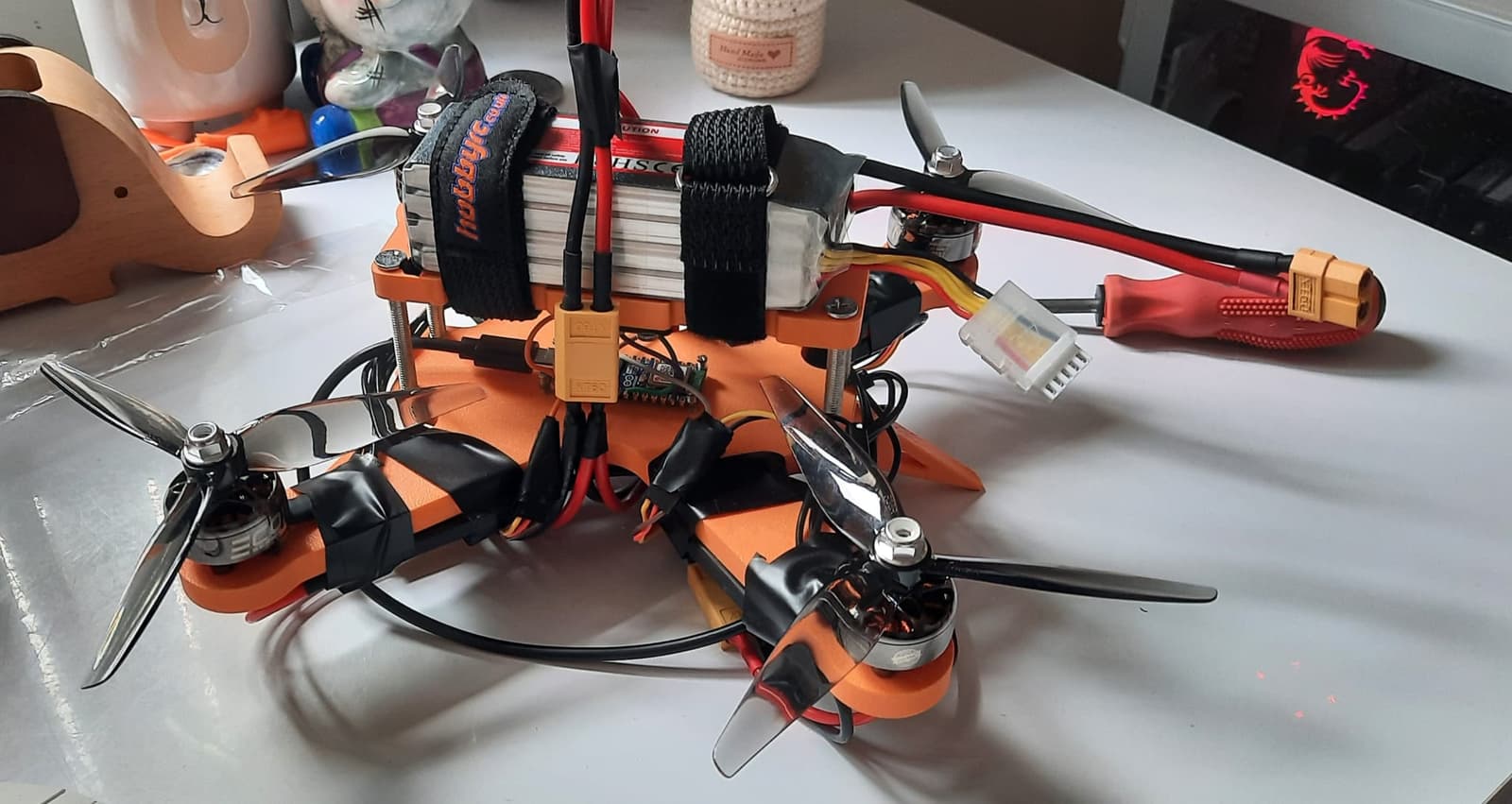
3D preview converted from github.com/twodoot/RC-Drone at 0cf43b6, under MIT. View the original files from GitHub (80.4 MB) (opens in a new tab)
What it can do
Written by Robotheca from the project's documents.
- Flies as a quadcopter with four brushless motors, controlled by a handheld joystick controller over a wireless link.
- Main flight mode controls roll rate by stick; a secondary angle-based mode is accessed by pressing the right stick and is described as not functioning well.
- Left stick up and down adjusts throttle, which holds its last signal when released; left and right yaw the drone.
- Right stick left and right controls roll on the x axis; right stick up and down controls pitch on the y axis.
- Uses an MPU-6050 inertial sensor on the drone to read its orientation.
Bill of materials
36 parts36 of 36 parts shown
36 of 36 needed parts have no price in the source, so there is no parts total. Read from BOM.csv at the pinned commit.
Build guide
The creator's steps, each with its instructions.
- 1Print and prepare the controller body, lid and drawer
- 2Solder wires and female headers to the controller Arduino Nano ESP32
- 3Mount the Arduino in the controller with M1.6 bolts and stand-offs
- 4Mount the joystick modules with M2.5 bolts and foam pads
- 5Wire the joysticks to the controller Arduino
- 6Print and prepare the drone top, base and spacers
- 7Solder and mount the MPU-6050 IMU on the drone top
- 8Solder male headers to the drone Arduino PWM pins and mount it on the base
- 9Assemble the frame with M5 bolts and legs
- 10Attach banana connectors to motors and mount the motors with M3 bolts
- 11Mount ESCs and wire power, BEC and PWM connections
- 12Flash via PlatformIO, calibrate joysticks and ESCs, fit the propellers
The guide appears here as you scroll.
Guide by @twodoot (README.md), under MIT.
Wiring and electronics
Notes written by Robotheca from the project's documents.
Main parts
- Two Arduino Nano ESP32 boards, one in the controller and one in the drone.
- MPU-6050 inertial measurement unit mounted on the drone.
- Four brushless DC motors rated 2400kv with propellers.
- Four electronic speed controllers (ESCs), at least 40A rated.
- Two KY-023 joystick modules in the controller.
- 4S 2200mAh LiPo battery powering the drone through XT-60 splitters.
- 5V USB power bank powering the controller.
- A BEC supplying 5V to the drone Arduino.
Connections
- Controller: joystick GND and 3.3V/+5V pins go to each module; A0 to A3 read the joystick axes and D3 reads the right joystick switch.
- Drone: MPU-6050 SDA connects to A4, SCL to A5, GND to GND and VCC to 3.3V.
- Drone: PWM signal wires from the ESCs connect to pins D6 to D9, one per motor.
- Drone: each motor's three phase wires connect to its own ESC, with the ESCs' main power fed from the battery through XT-60 splitters.
- Drone: BEC 5V and GND are connected to the drone Arduino's USB power input.
Cables and connectors
From the parts list.
- jumper wires
- male terminal banana connectors × 12
- USBC to USBA cable × 2
- Power only USBC to bare wires × 1
- armature wire × 1
Schematics, boards and diagrams
- Wiring Diagrams/Drone Wiring Diagram.pngDiagram
- Wiring Diagrams/Drone/Drone_Controller.kicad_schKiCad
- Wiring Diagrams/Drone/Drone_Flying.kicad_schKiCad
- Wiring Diagrams/Drone/Drone.kicad_pcbKiCad
- Wiring Diagrams/Drone/Drone.kicad_schKiCad
- Wiring Diagrams/Drone/untitled.kicad_schKiCad
- Wiring Diagrams/Wiring Diagram Controller.pngDiagram

