OpenSCARA light-painting arm
An open-source, 3D-printed two-joint SCARA robot arm that draws with light, driven by two NEMA 17 steppers and a BeagleBone Black.
- Robot arm
- Open source
- 3D printable
Suggested by Robotheca, created by @jonardan (opens in a new tab), from github.com/jonardan/OpenSCARA (opens in a new tab). Pinned to commit bfecf63 (opens in a new tab).
- Hardware license
- Apache-2.0 (opens in a new tab)
- Software license
- Apache-2.0 (opens in a new tab)
- Commercial use
- Allowed
This repository contains executable files that Robotheca doesn't check. Only run them if you trust the creator.
Which files (2 files marked executable, 2 scripts)
Photo and 3D model
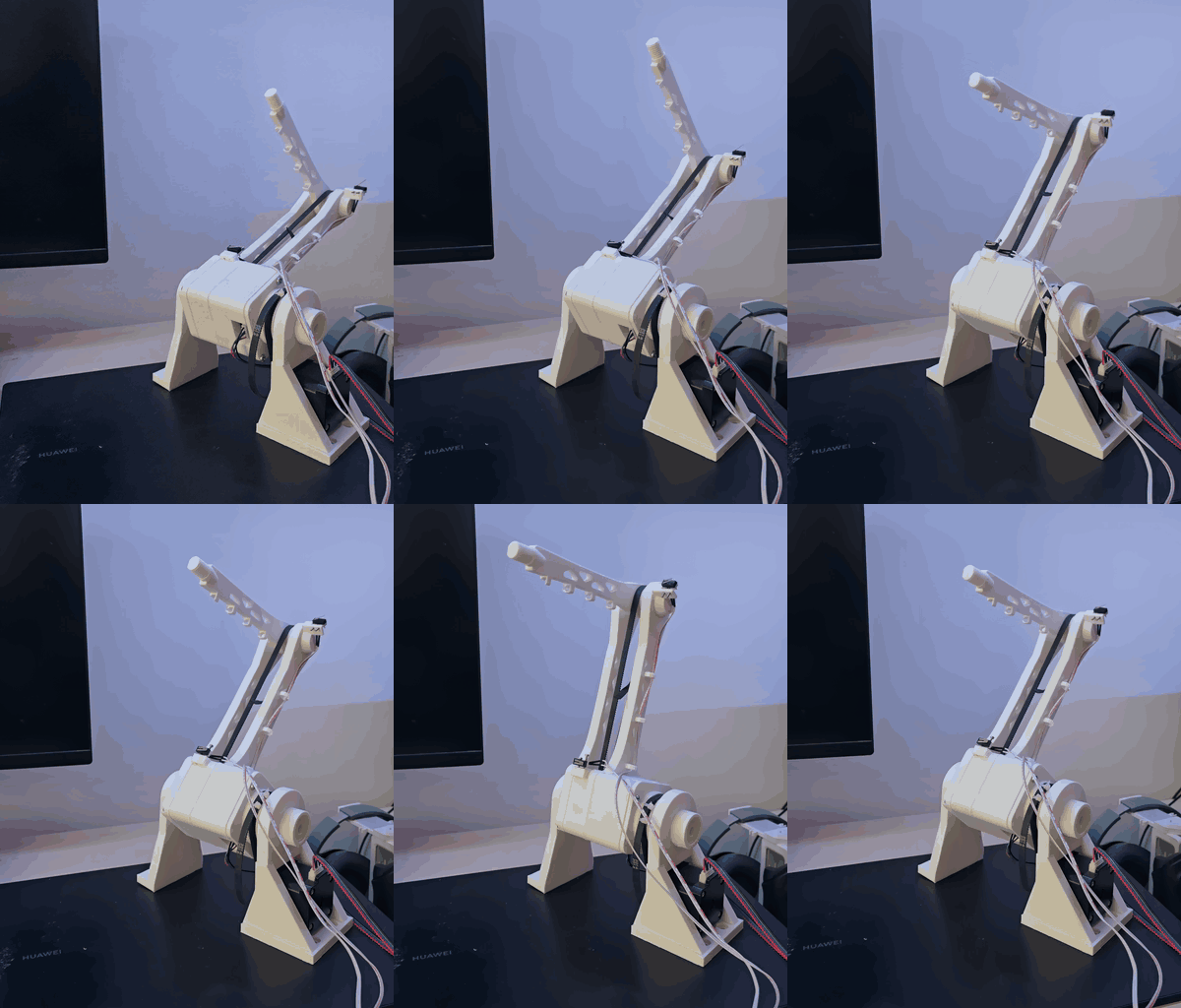
3D preview converted from github.com/jonardan/OpenSCARA at bfecf63, under Apache-2.0. View the original files from GitHub (4.6 MB) (opens in a new tab)
- Reach
- 361.8 mm
What it can do
Written by Robotheca from the project's documents.
- Two-joint SCARA arm moving its tip in a horizontal plane, with inverse and forward kinematics converting X/Y in millimetres to joint angles
- Straight-line moves and G-code execution (G0, G1, G28, G90/G91, G21, M3/M5) with look-ahead for smooth paths made of short segments
- Homing on two endstops, with a safety stop after one turn if a switch never clicks
- Checks a whole G-code file for reach and joint limits before any motion
- Drawing from SVG via a PC-side converter, streaming G-code to the board over the console
- Light-painting use: an LED on the tip is planned for M3/M5 control but is not yet wired, so it stays always on
Bill of materials
This repository has no parts list Robotheca can read yet.
Build guide
The creator's steps, each with its instructions.
- 1Print and assemble the parts in hardware/
- 2Wire the board, drivers, motors and endstops following the wiring guide
- 3Build the image with Buildroot pointing at the software/ folder
- 4Write the image to a microSD card
- 5Boot the BeagleBone from the card and open the console
- 6Calibrate homing direction, home angles and joint limits
The guide appears here as you scroll.
Guide by @jonardan (README.md), under Apache-2.0.
More guides
Wiring and electronics
Notes written by Robotheca from the project's documents.
Main parts
- BeagleBone Black controller running a small Buildroot Linux
- Two NEMA 17 stepper motors driving the shoulder and elbow through GT2 belts
- Two BIGTREETECH TMC2209 V1.3 stepper drivers
- Two endstop switches, one per joint
- 12 V power supply for the motor drivers
- Two 100 µF capacitors rated 25 V or more and a 1 kΩ resistor on the UART line
- MicroSD card holding the boot image
Connections
- Both TMC2209 drivers share one UART line from BBB P9_24 (TX, through the 1 kΩ resistor) and P9_26 (RX), each driver with its own UART address set by MS1/MS2
- Driver 1 STEP and DIR are on P9_16 and P9_18; driver 2 STEP and DIR are on P9_12 and P9_30
- Driver 2 MS2 is tied to 3.3 V on P9_4 to give it UART address 2
- Driver VIO takes 3.3 V from P9_3; EN, CLK and MS1 are tied to ground, and the logic grounds share P9_2
- Motor drivers take 12 V on VM and GND, with a capacitor across each, and each NEMA 17 coil pair goes to A1/A2 and B1/B2
- Endstops connect to P9_14 and P9_22 as inputs with internal pull-up, switching to ground
- P9_28 must not be used because it is stuck high on this board; the BBB is powered from its mini-USB cable and never from 12 V